Follow these steps to add a new Industry Award or Enterprise Bargaining Agreement (EBA) to your organisation:
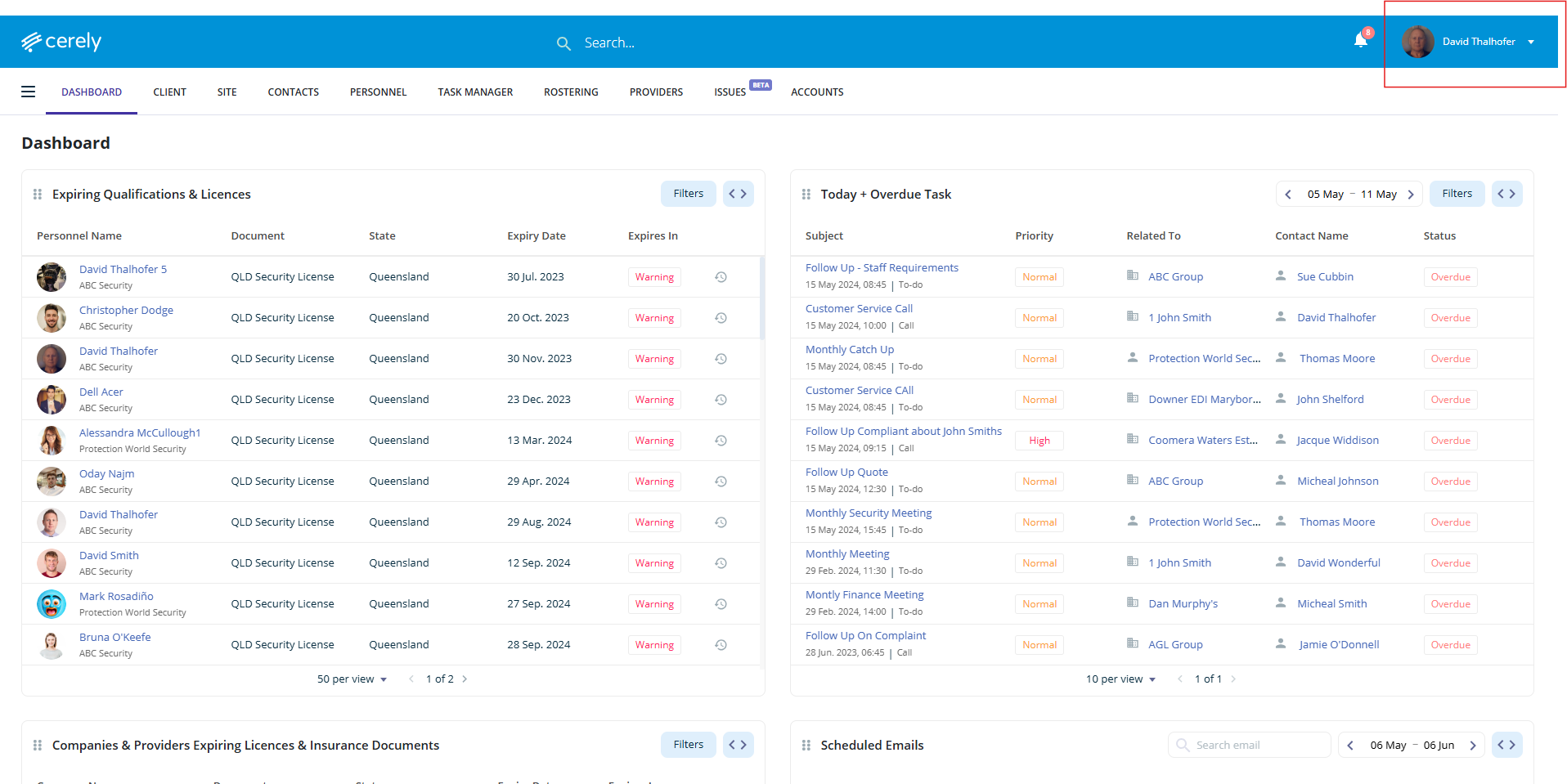
1. Click on your profile icon in the top right-hand corner of the screen
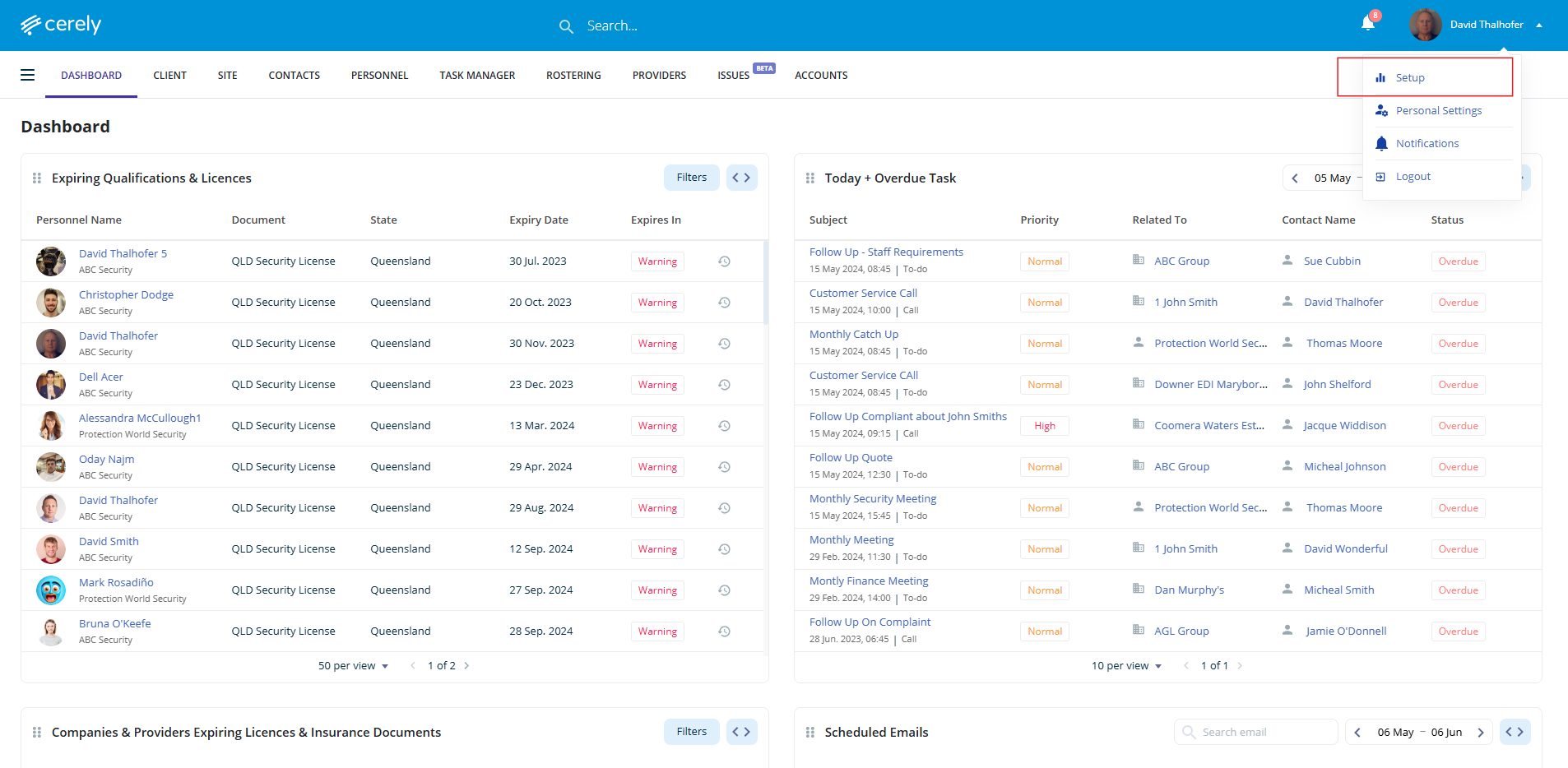
2. Select setup from the dropdown menu
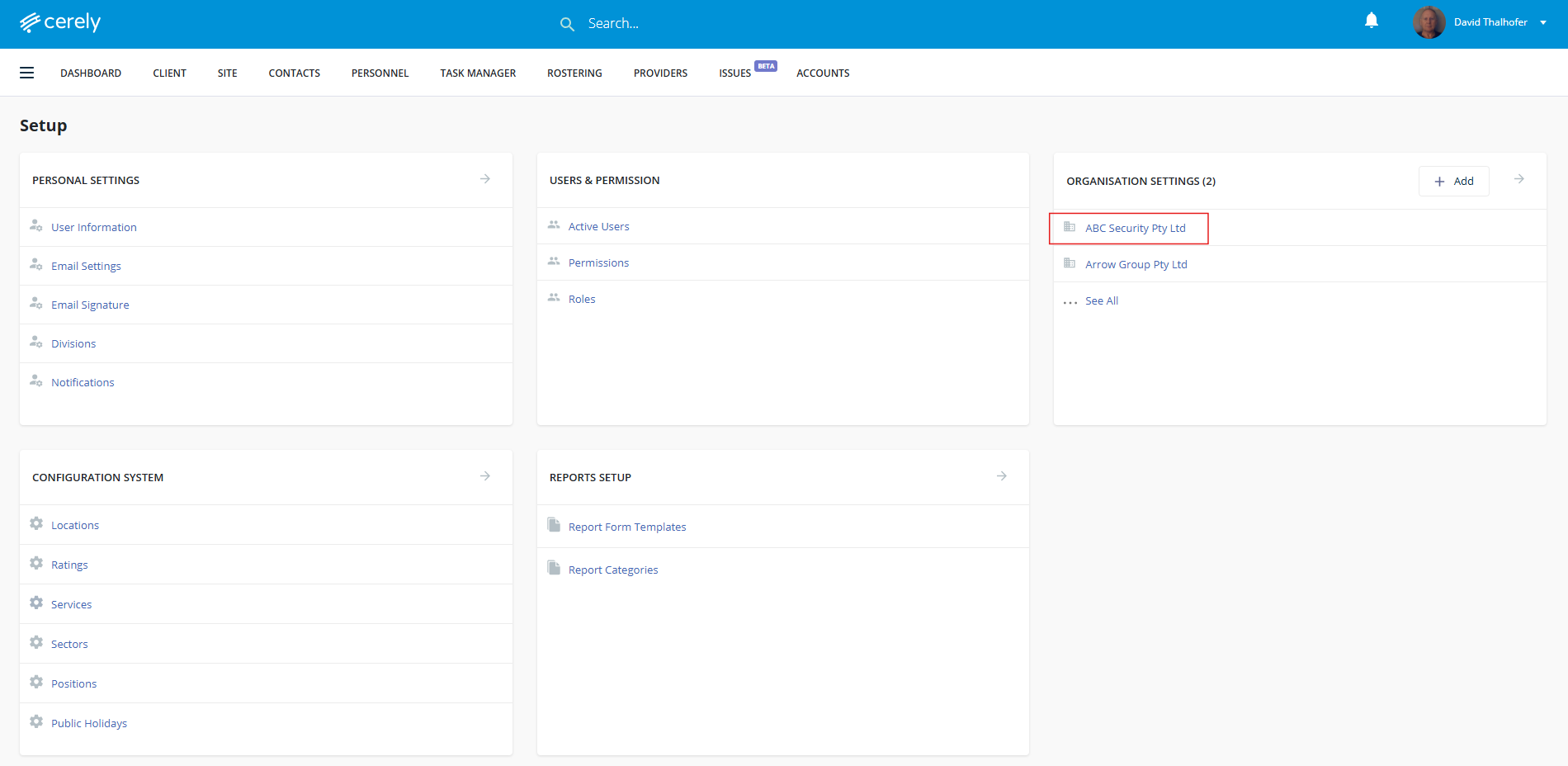
3. Under organisation settings, select your organisation name
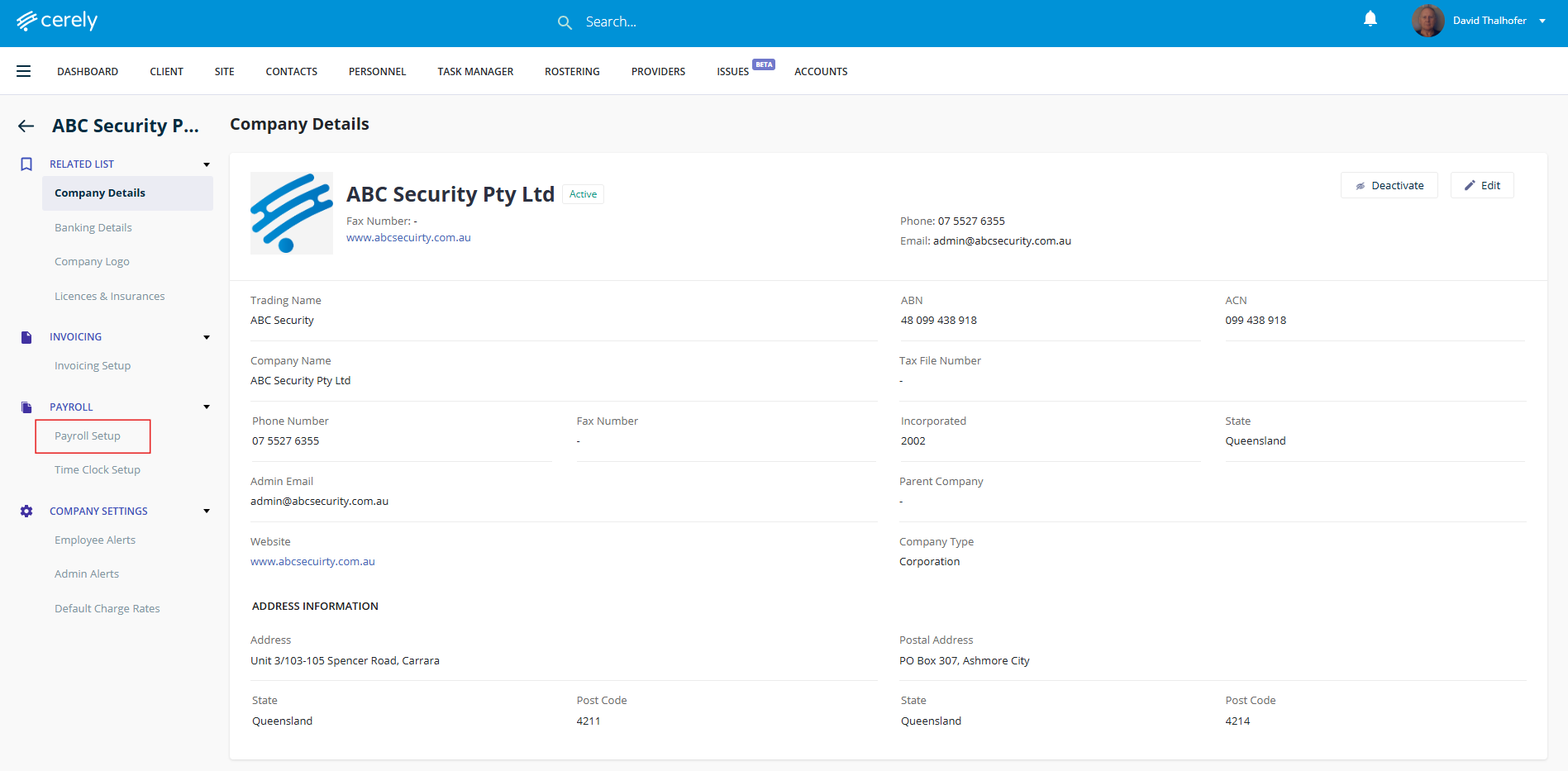
4. In the left-hand menu, click on payroll setup
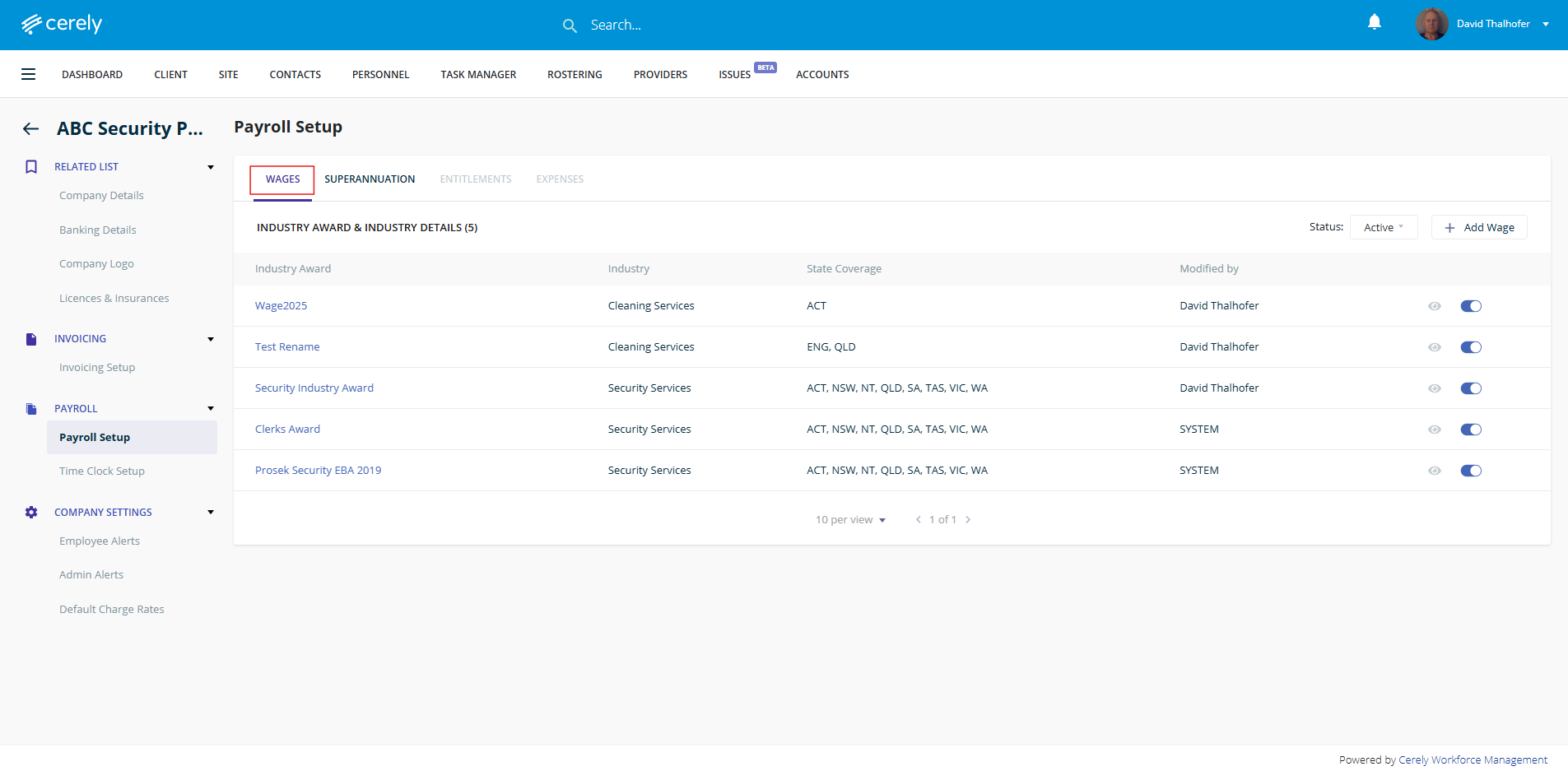
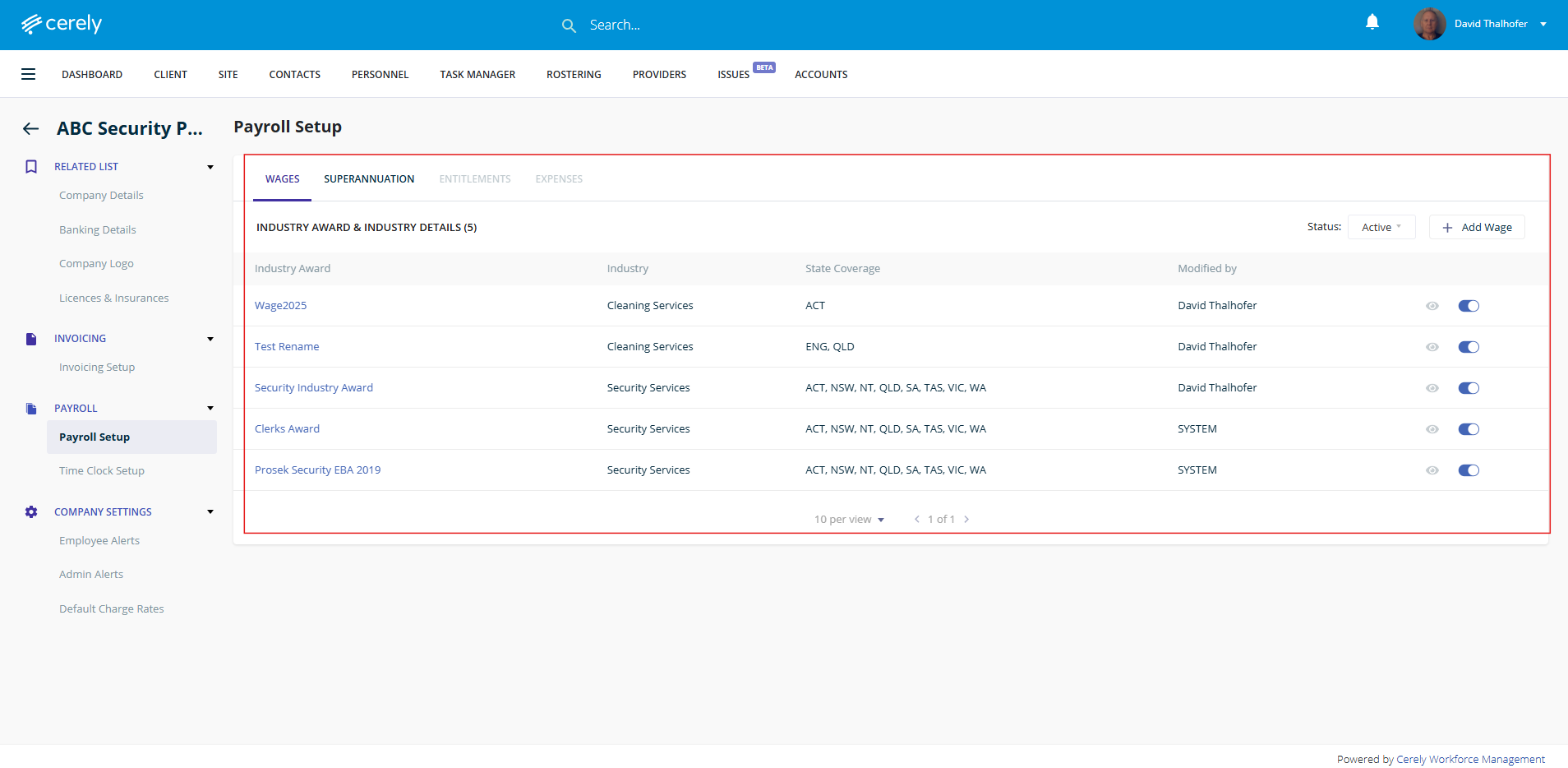
5. The system will default to the wages tab
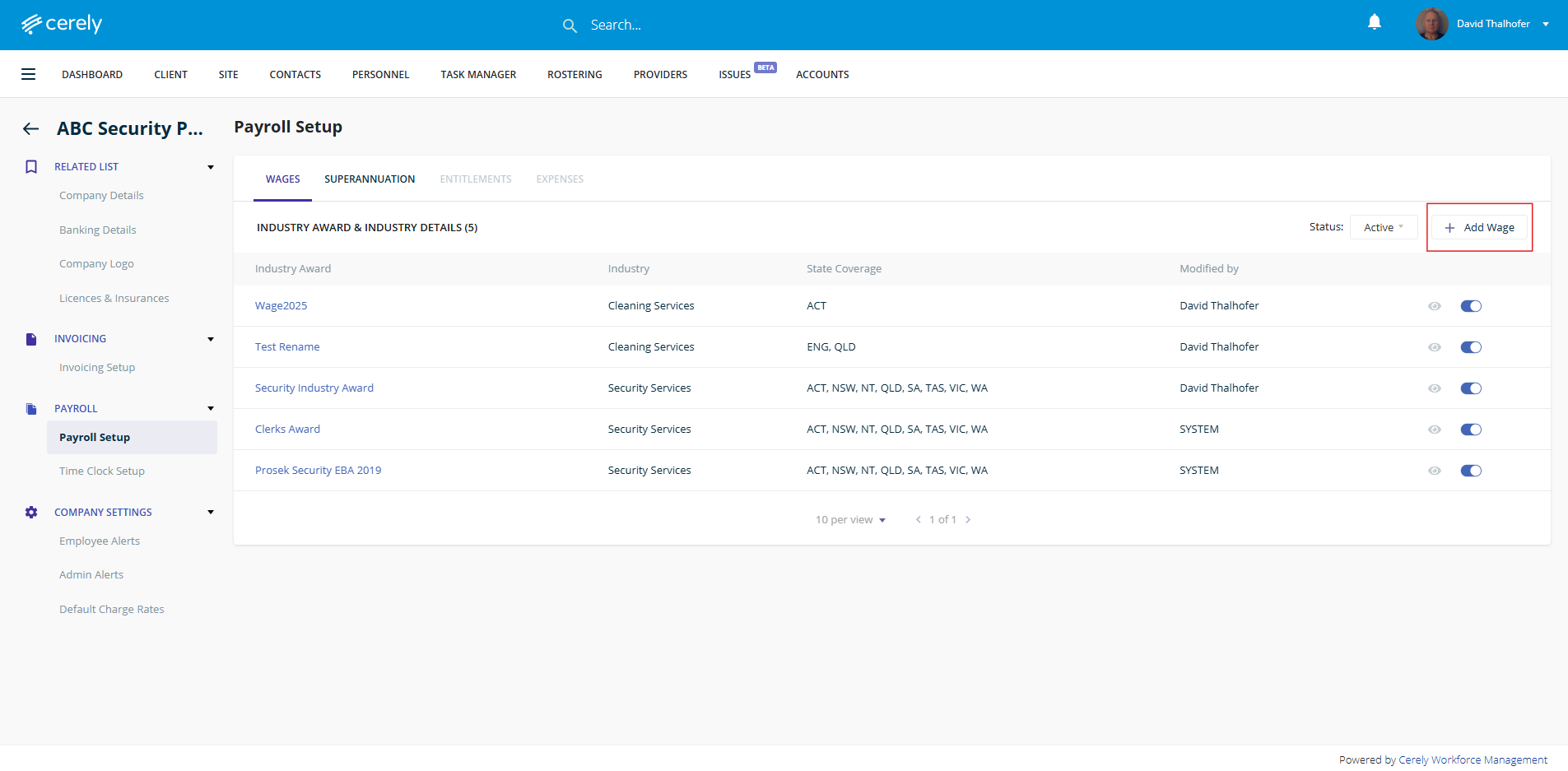
6. Click the + add wage button
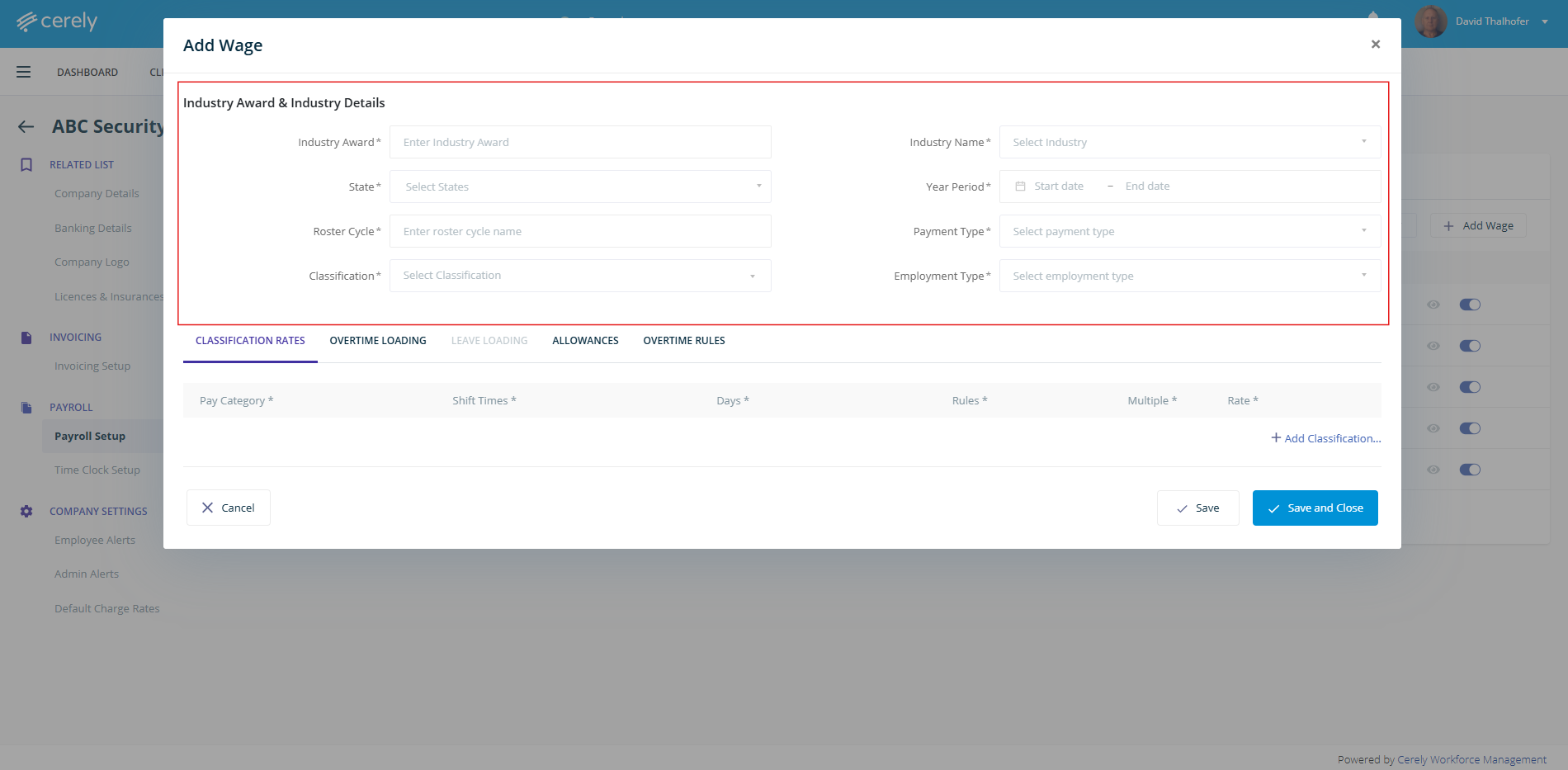
7. In the popup window, enter the relevant information and date periods for the new Award or EBA.
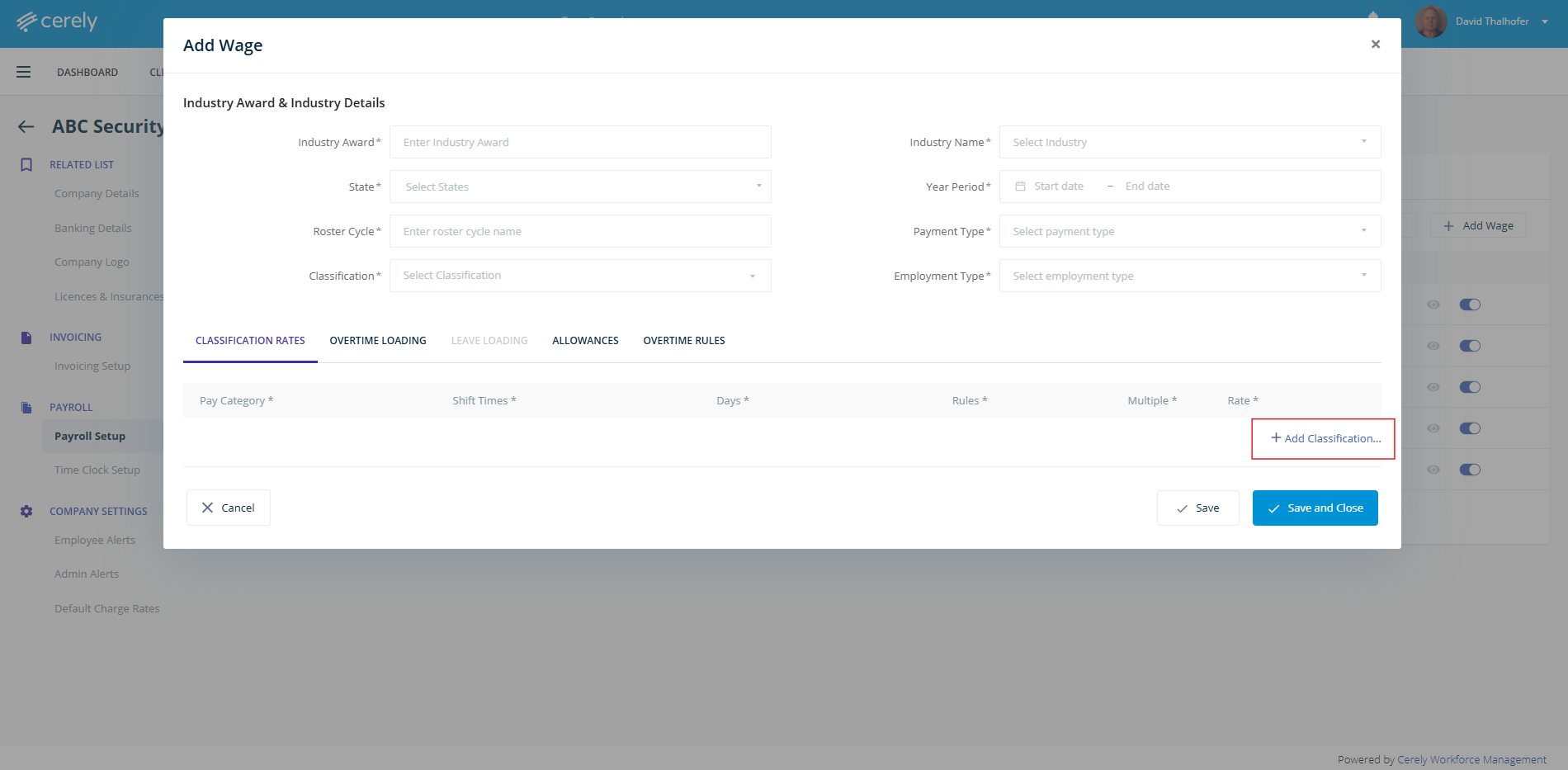
8. Click +Add classification rates to specify the rates and settings applicable for the Award or EBA.
9. Select save and close
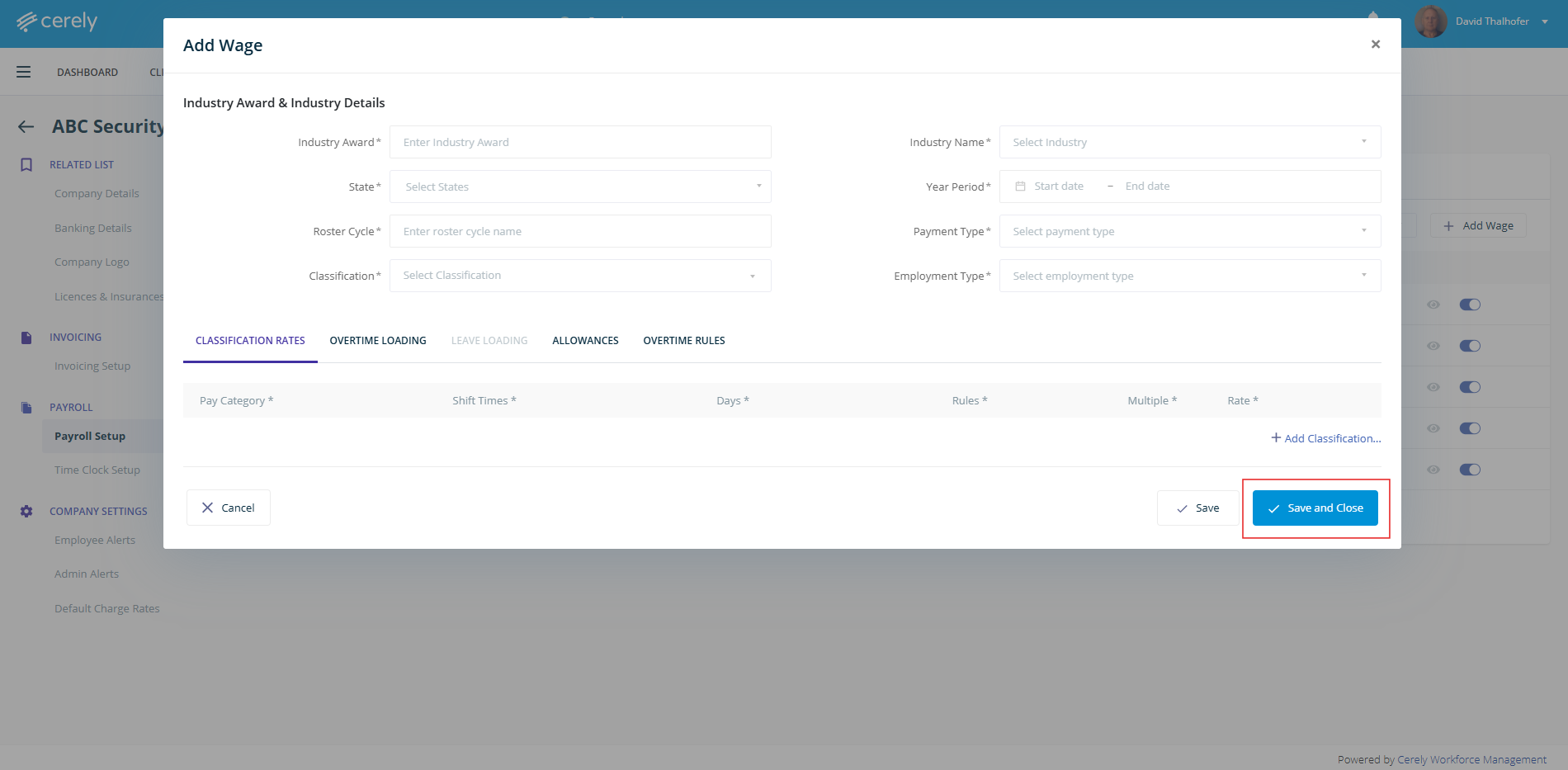
10. The newly created Award or EBA will now appear in the Wages Industry Award and details list
Was this article helpful?
That’s Great!
Thank you for your feedback
Sorry! We couldn't be helpful
Thank you for your feedback
Feedback sent
We appreciate your effort and will try to fix the article