1. Open the Cerely app on your device
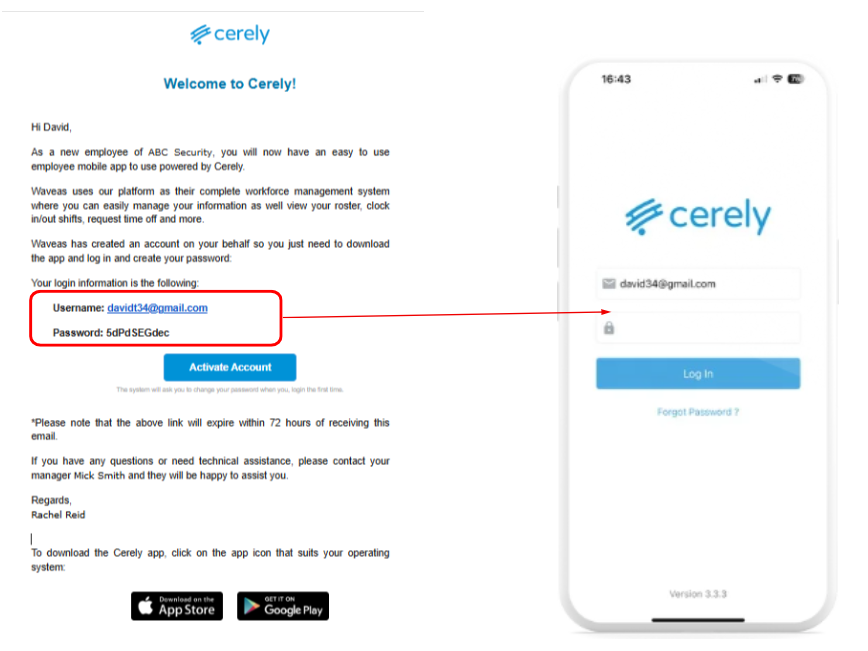
2. Use the login details provided in your invitation email:
Enter your email
Enter your password
Click the ‘Log In’ button
Important: The password field is case sensitive. Make sure you enter it exactly as provided in the invitation email
After Logging In
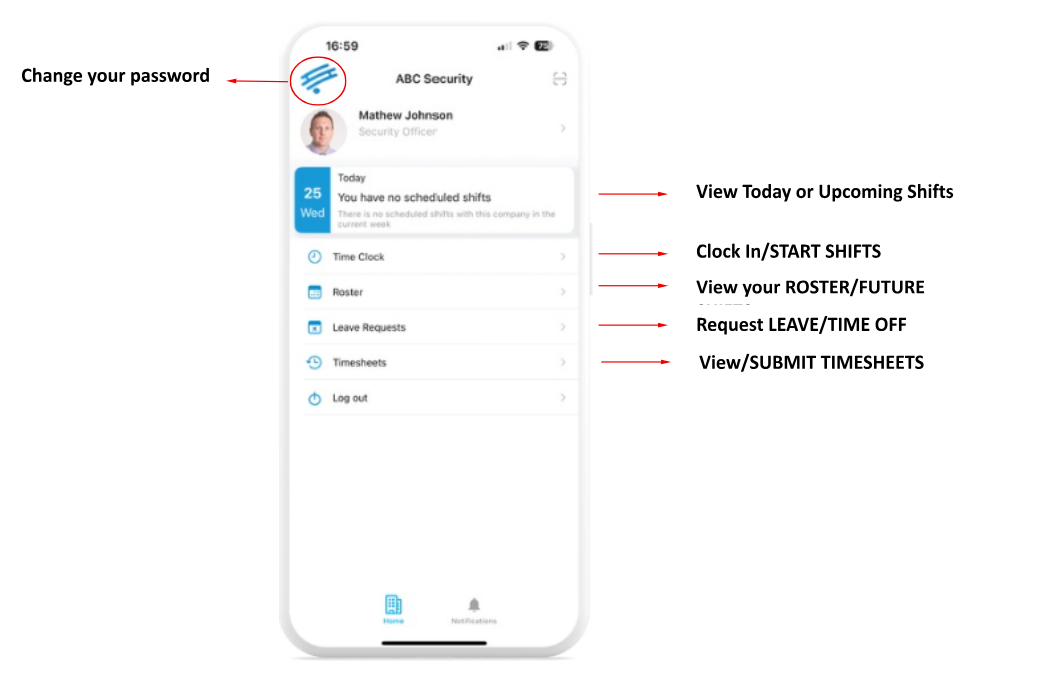
Once logged in, you will be directed to the Cerely home screen
From the home screen, you can now access:
Your Roster
Shift Details
Clock In/Out
Incident Reports
Scan Checkpoints
Timesheets
Notifications
You are now ready to begin using the Cerely app
Was this article helpful?
That’s Great!
Thank you for your feedback
Sorry! We couldn't be helpful
Thank you for your feedback
Feedback sent
We appreciate your effort and will try to fix the article