Before importing into Xero, first export the invoice file from Cerely:
Video Link:
How to Import Invoices into Xero
Exporting Invoices from Cerely:
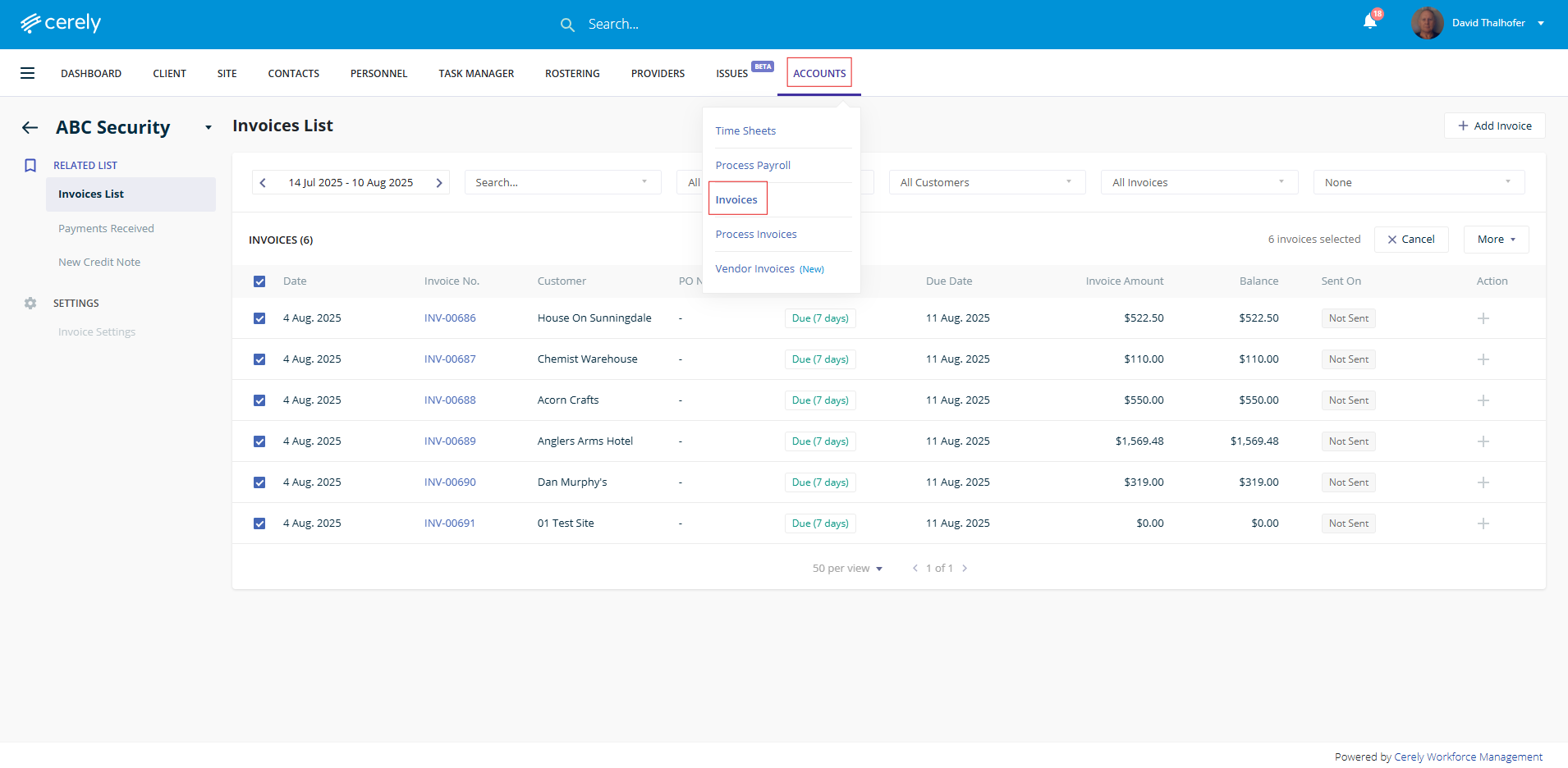
1. Navigate to Accounts > Invoices
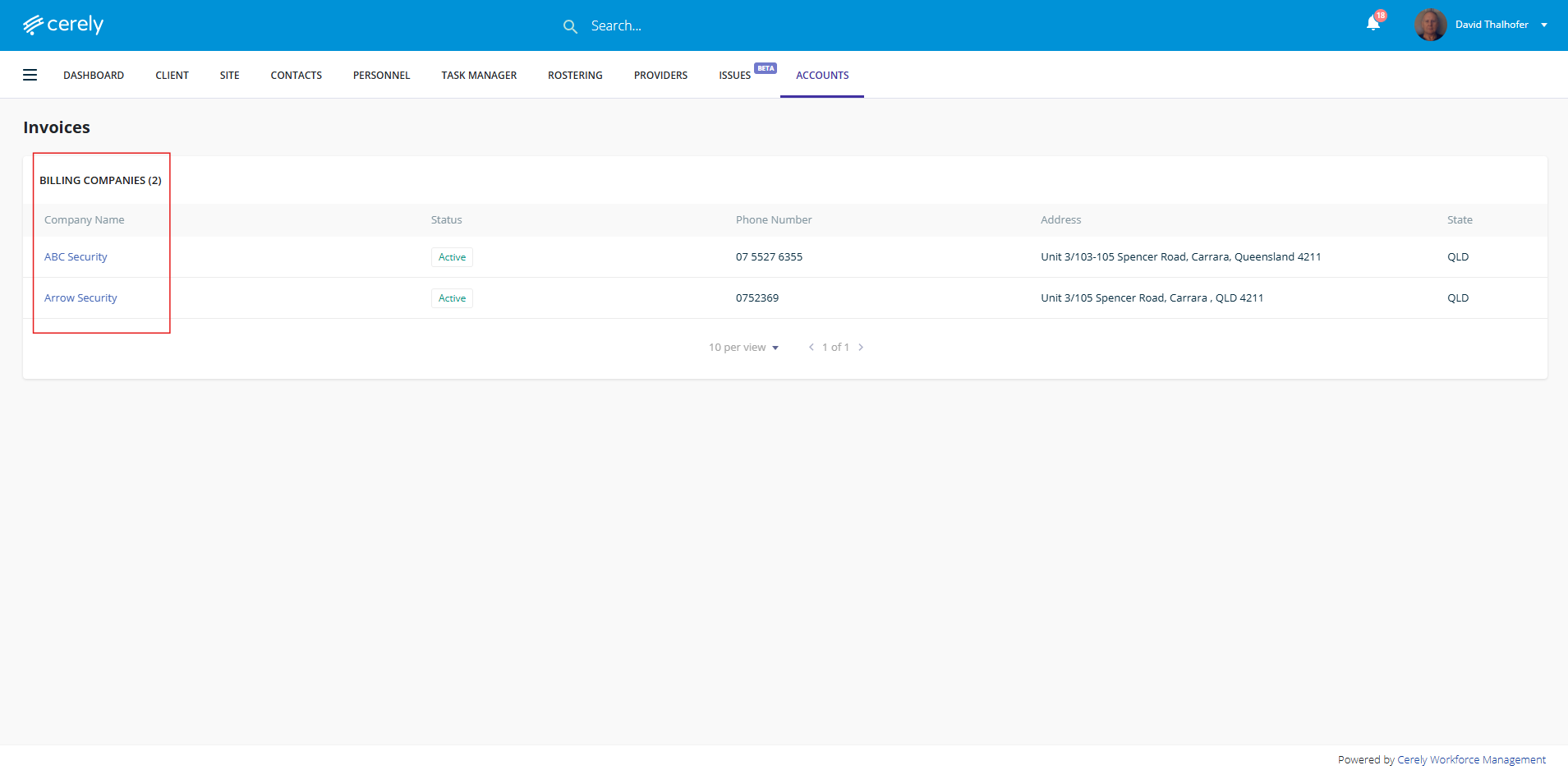
2. Select your Billing Company (if you manage multiple entities)
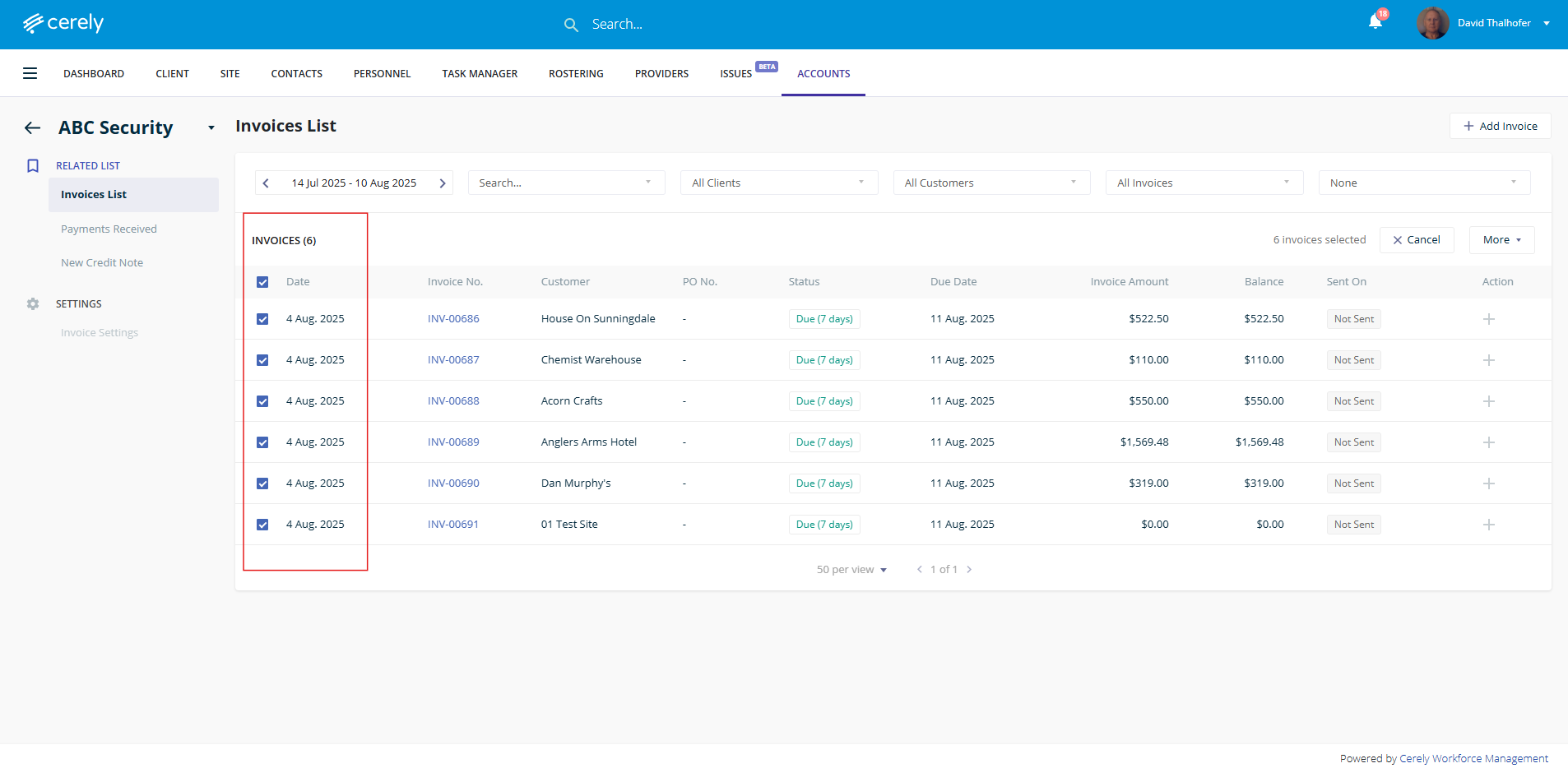
3. Multi-select or individually select the invoices you would like to import into MYOB
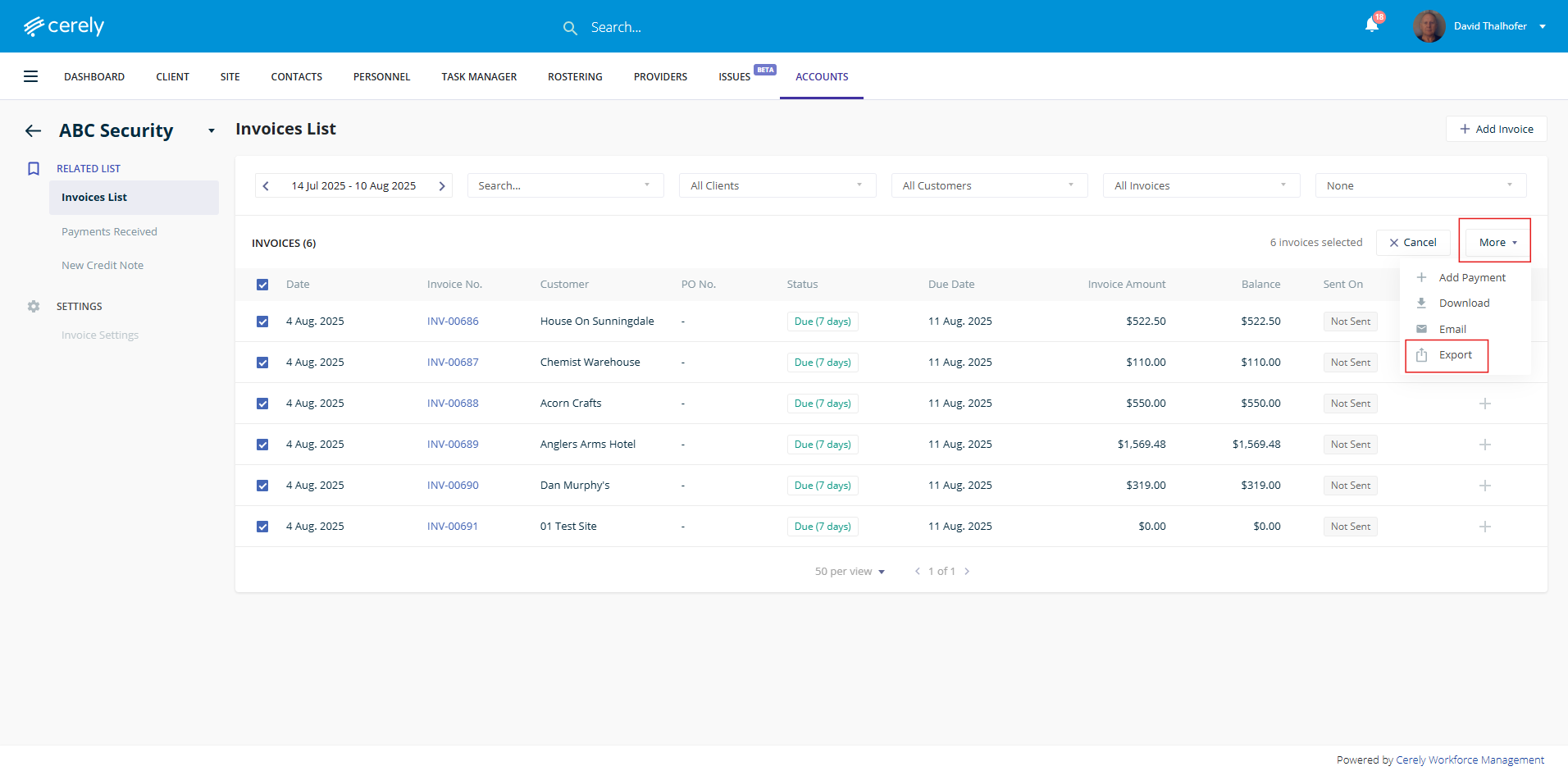
4. Click More, then select Export
5. In the export popup, choose Xero Export Format
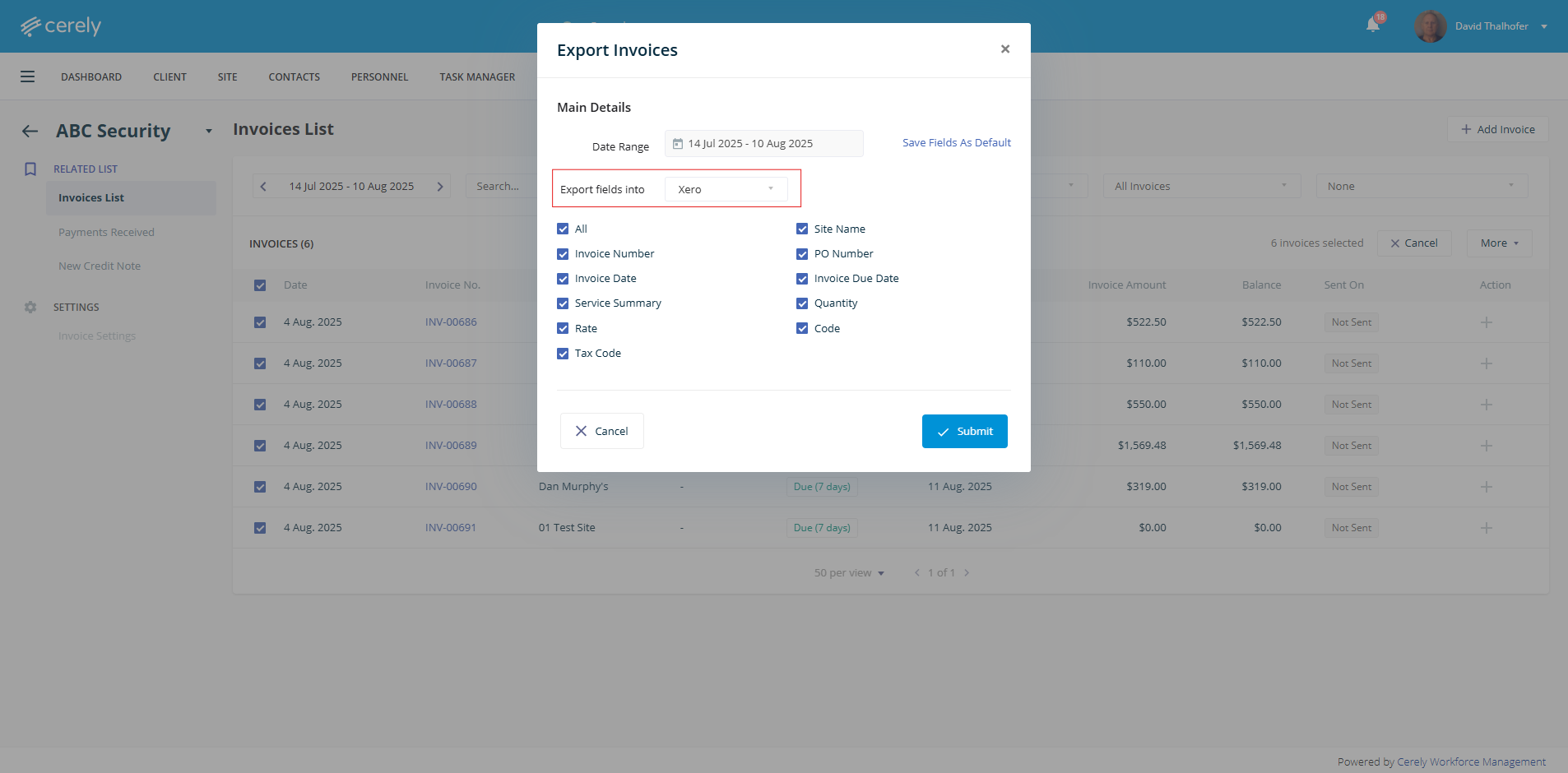
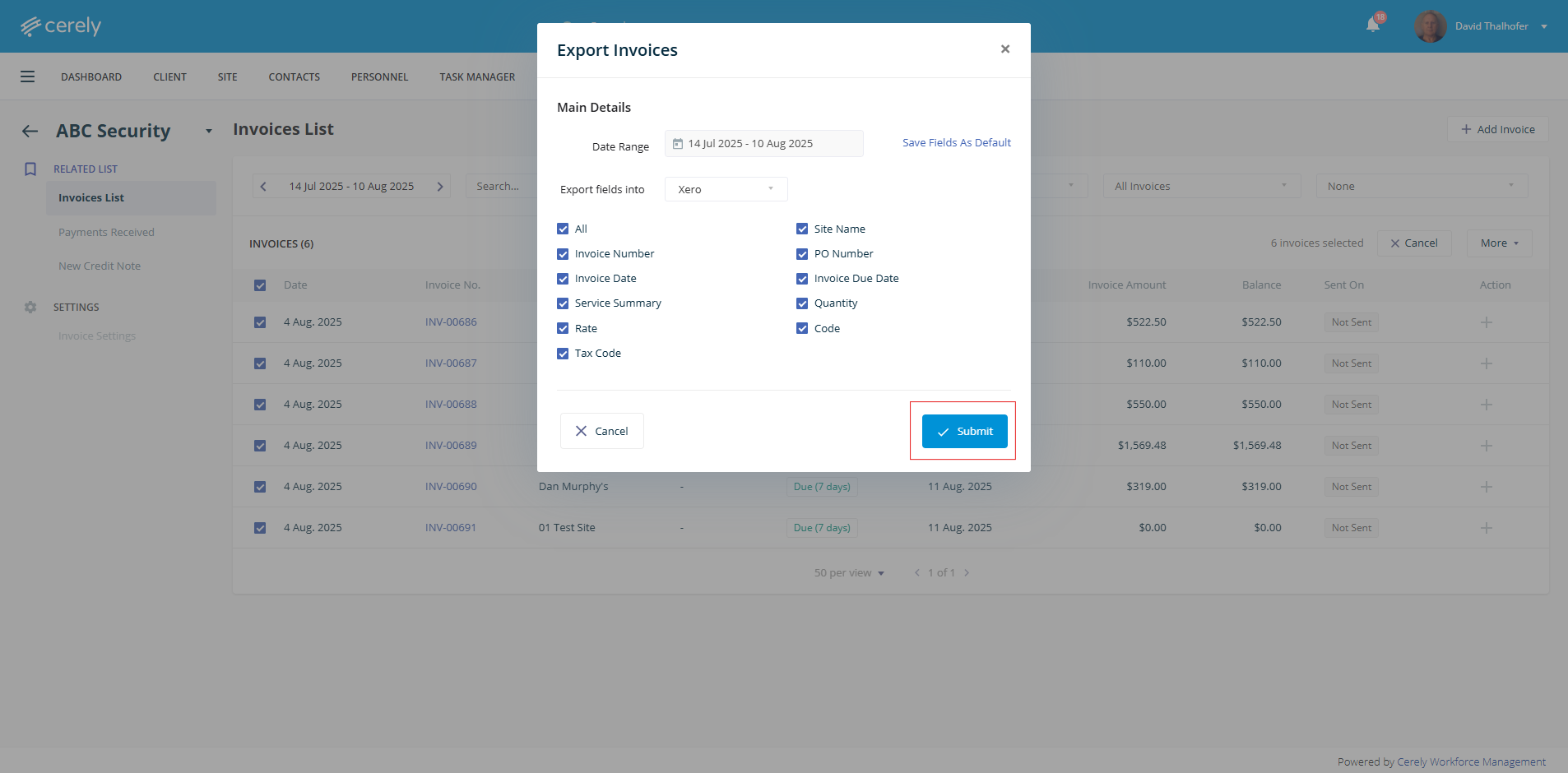
6. Click the Submit button, then save the exported file to your computer
Importing into Xero:
1. Log in to your Xero account
2. Go to Business > Invoices
3. Click the Import button in the top right corner
4. Choose Browse, then upload the invoice file exported from Cerely
5. Click Continue to preview and review the invoices
6. Confirm that all fields (e.g., Contact Name, Invoice Date, Due Date, Amount) are correctly mapped
7. Click Complete Import
Your imported invoices will now appear in Drafts within Xero for your final review and approval
Tip: Ensure that Contact Names in Cerely match those in Xero to ensure successful import
Your invoices are now ready for final processing in Xero
Was this article helpful?
That’s Great!
Thank you for your feedback
Sorry! We couldn't be helpful
Thank you for your feedback
Feedback sent
We appreciate your effort and will try to fix the article