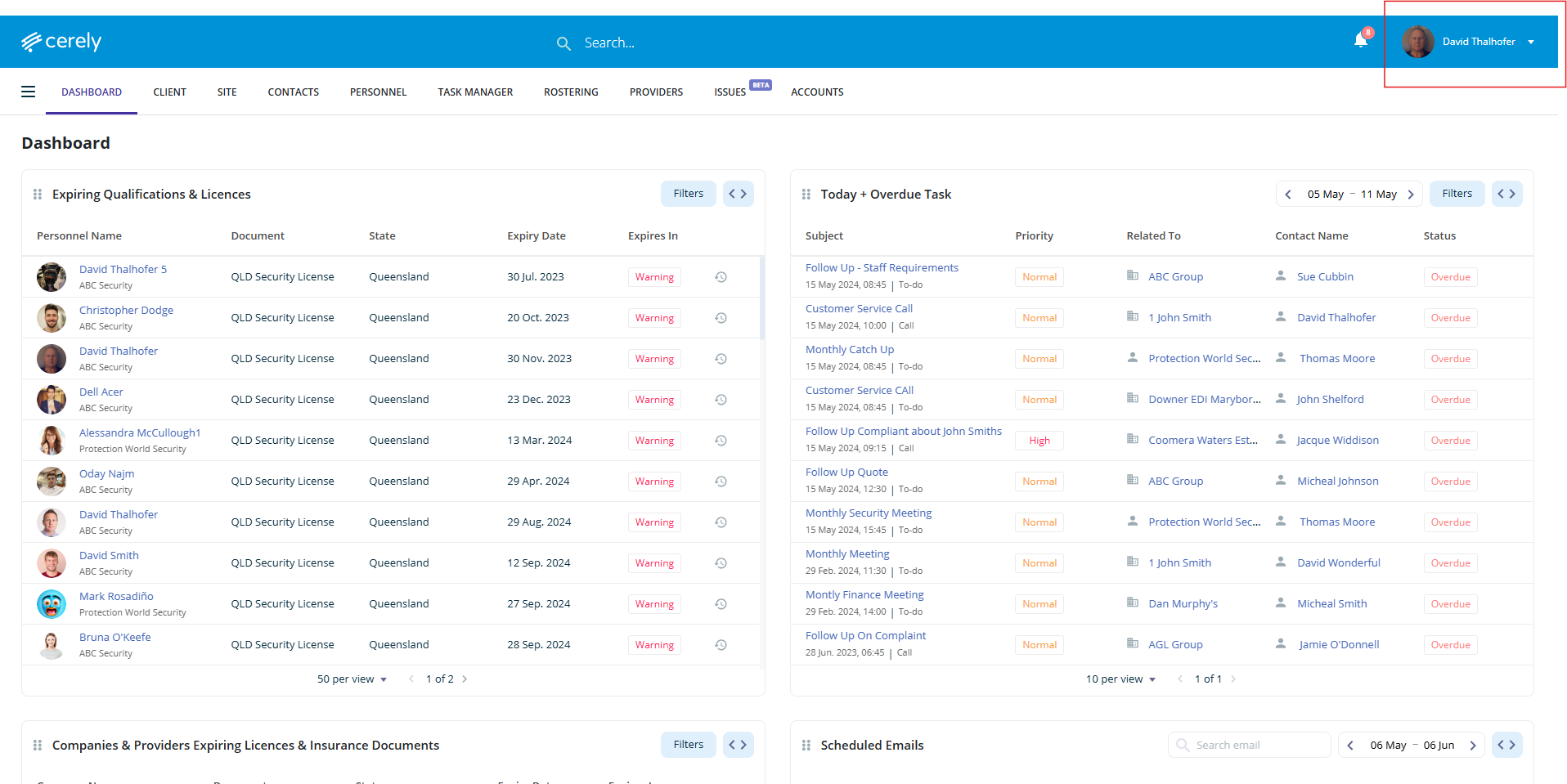
1. From the main menu, click your Profile Icon in the top right-hand corner
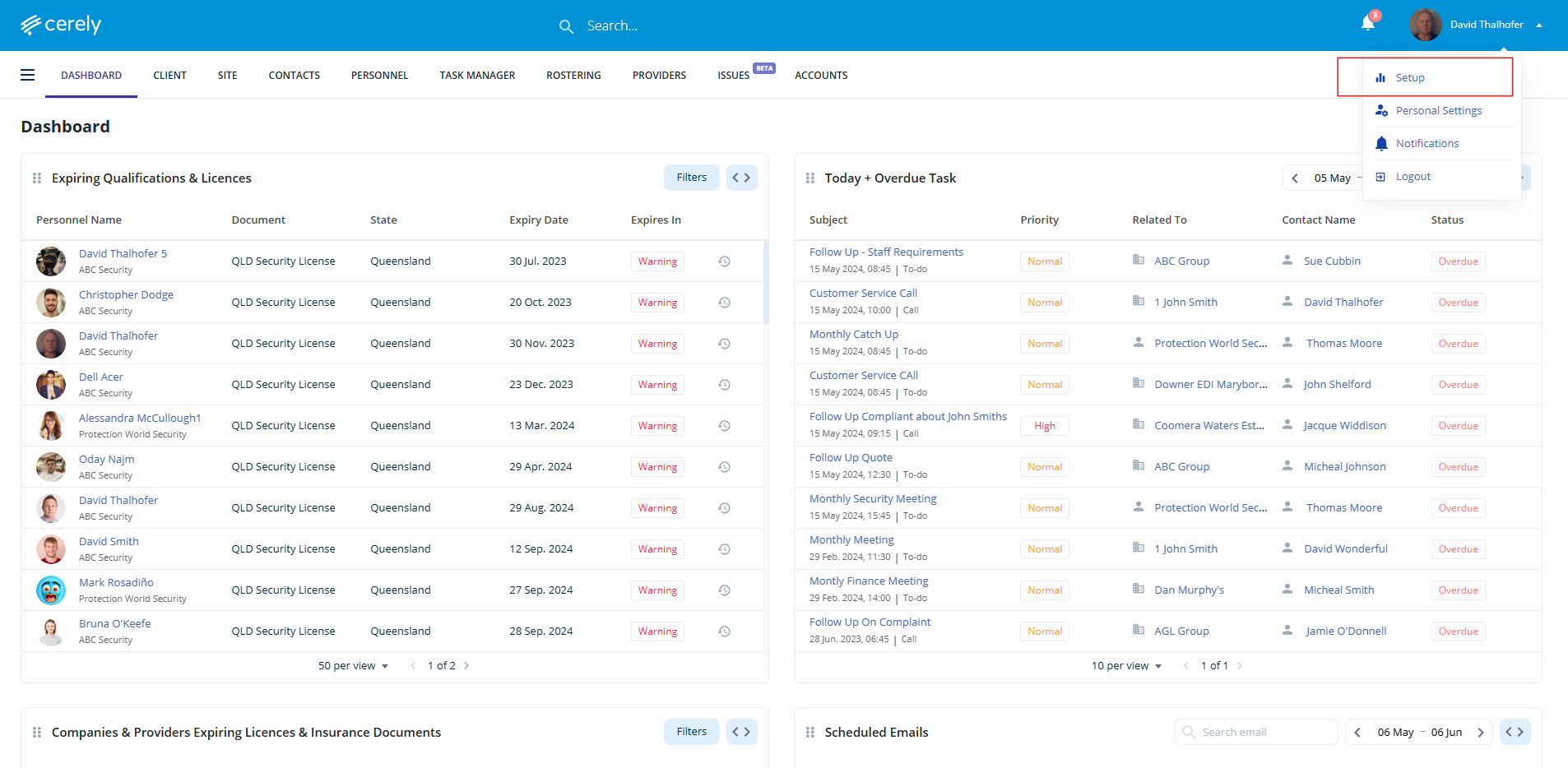
2. Click on Setup from the dropdown menu
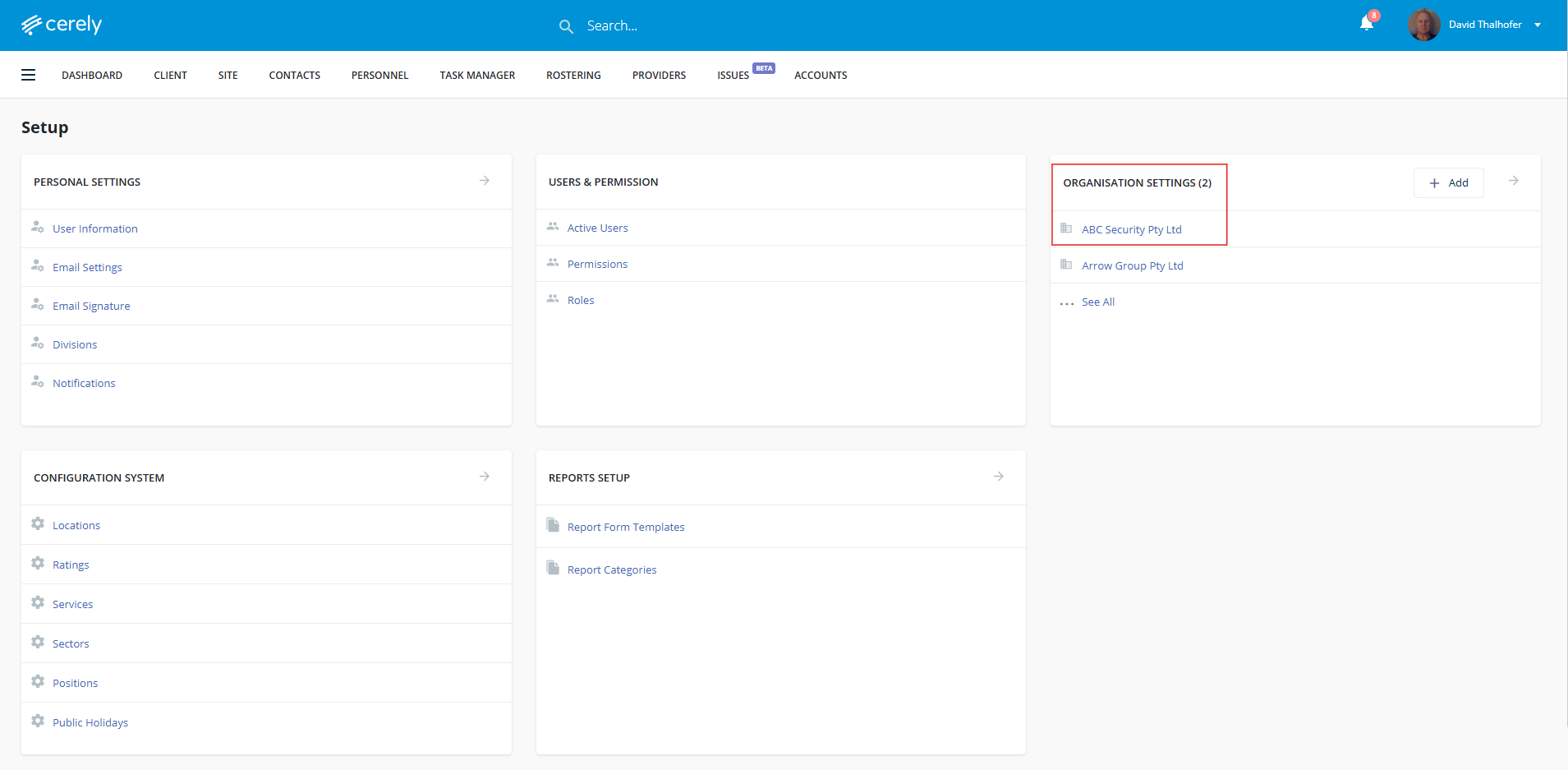
3. Under Organisation Settings, Click on your Organisation Name
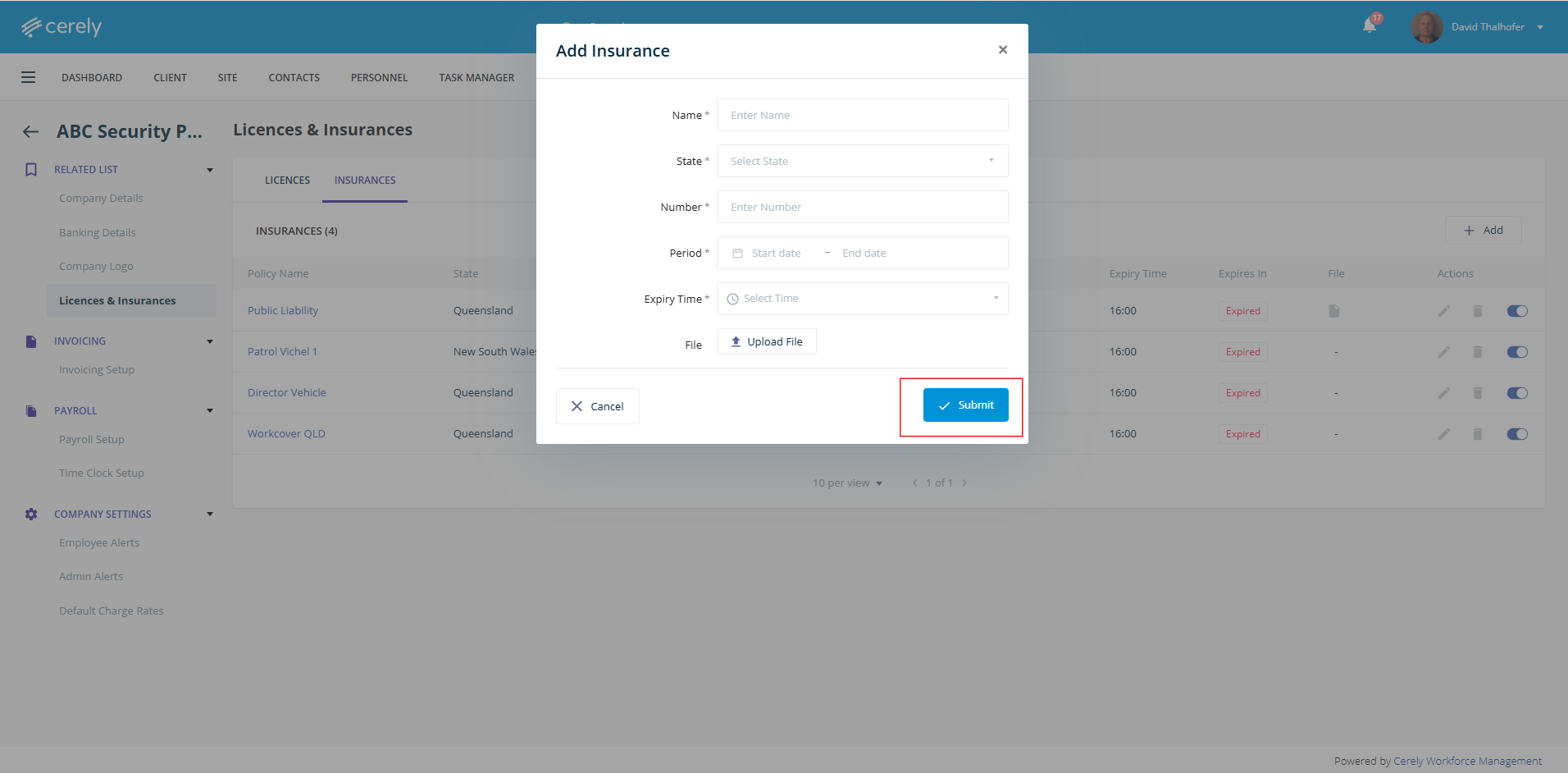
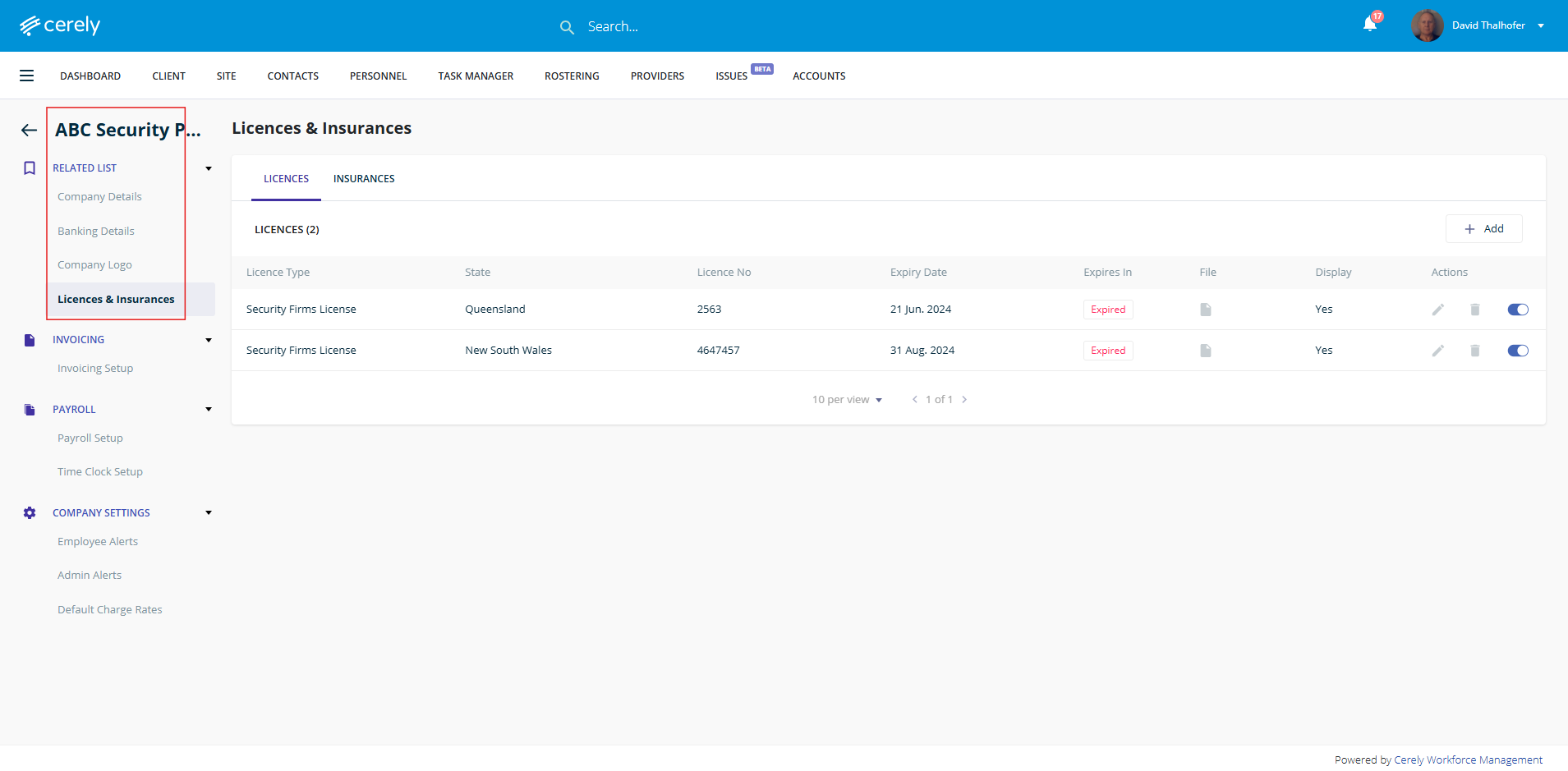
4. In the left-hand menu, click on Licences & Insurances
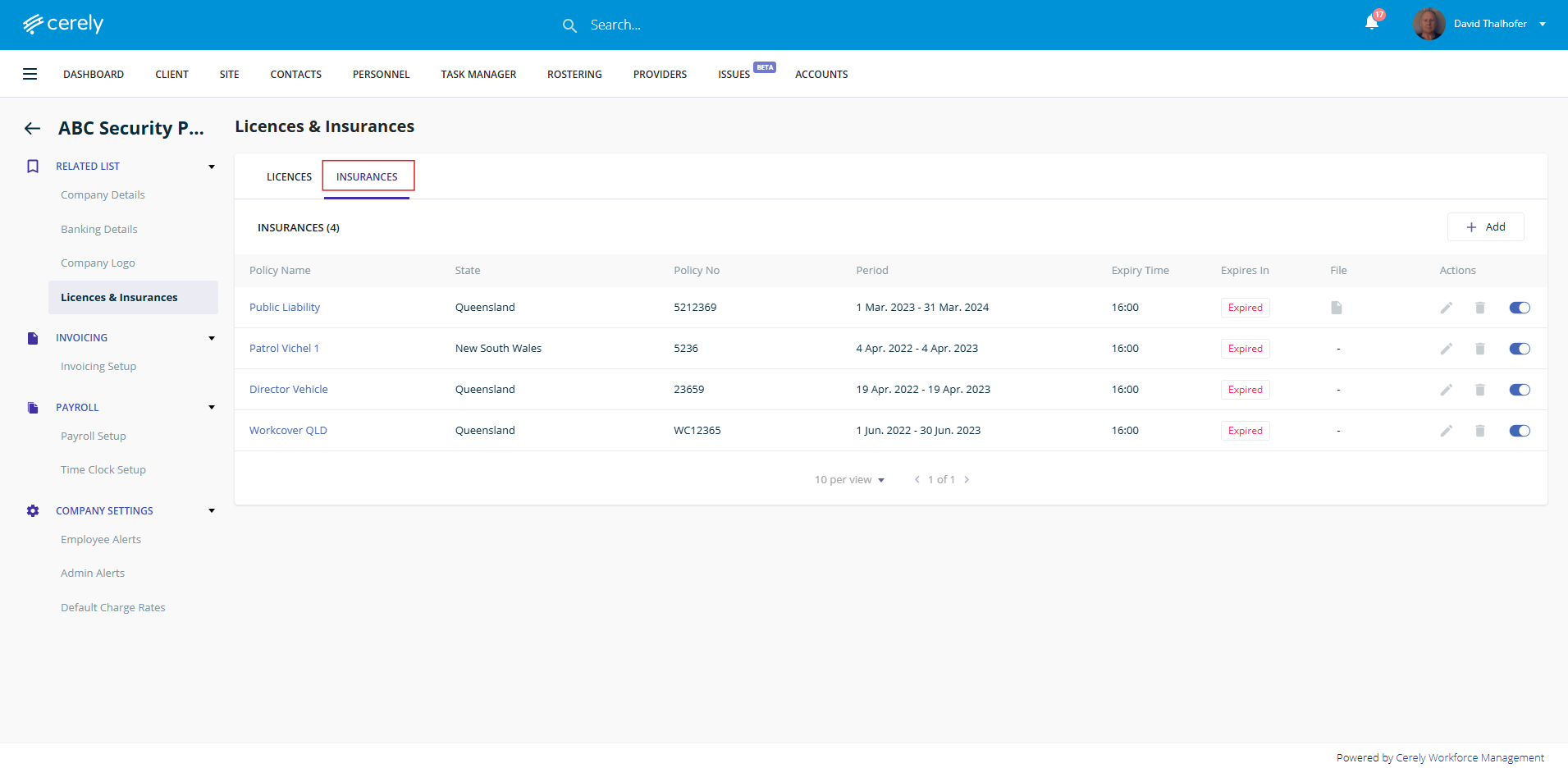
5. Click on the Insurances tab
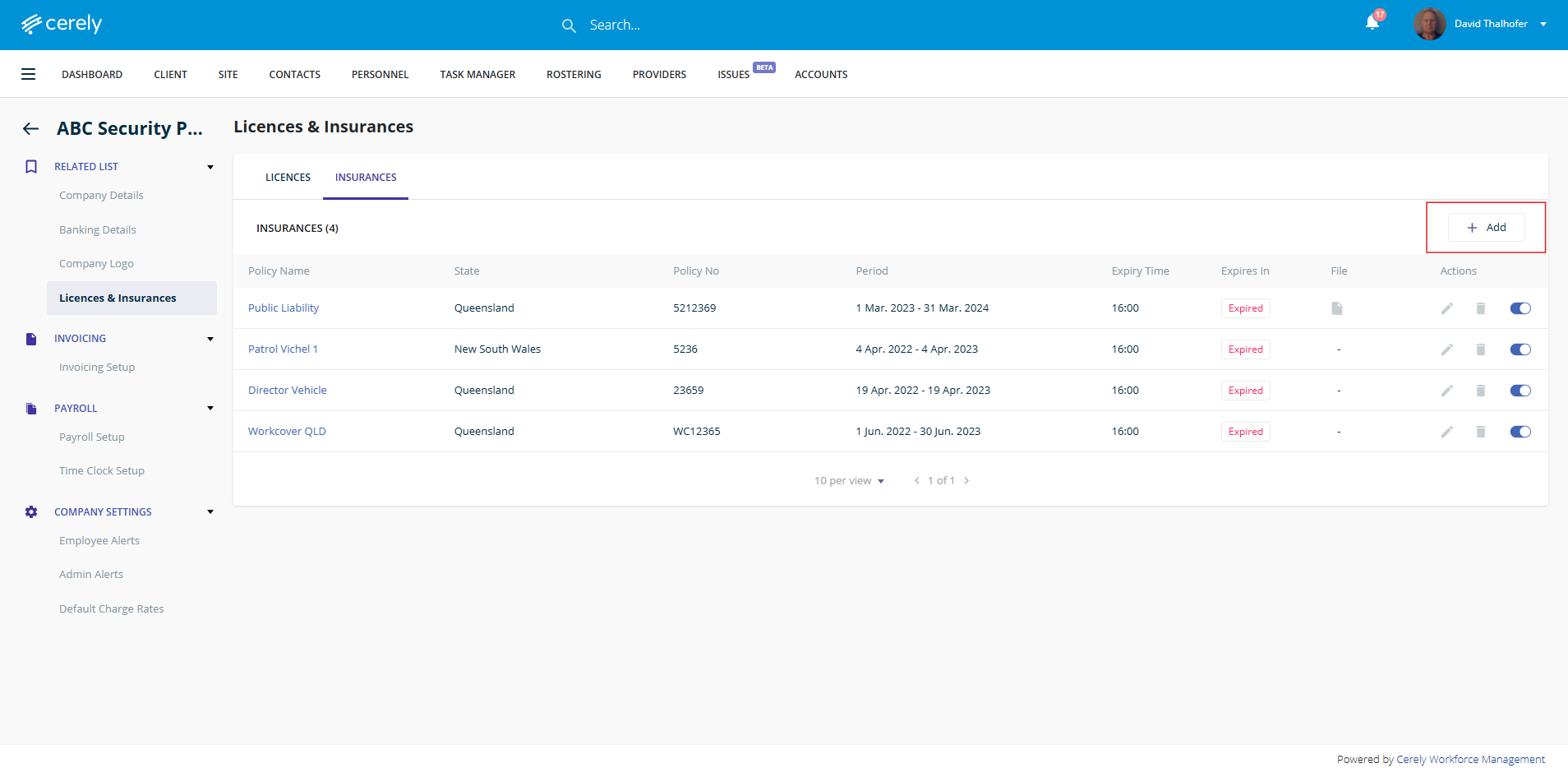
6. Click on the + Add button
7. Add the necessary insurance details and upload a copy of the insurance
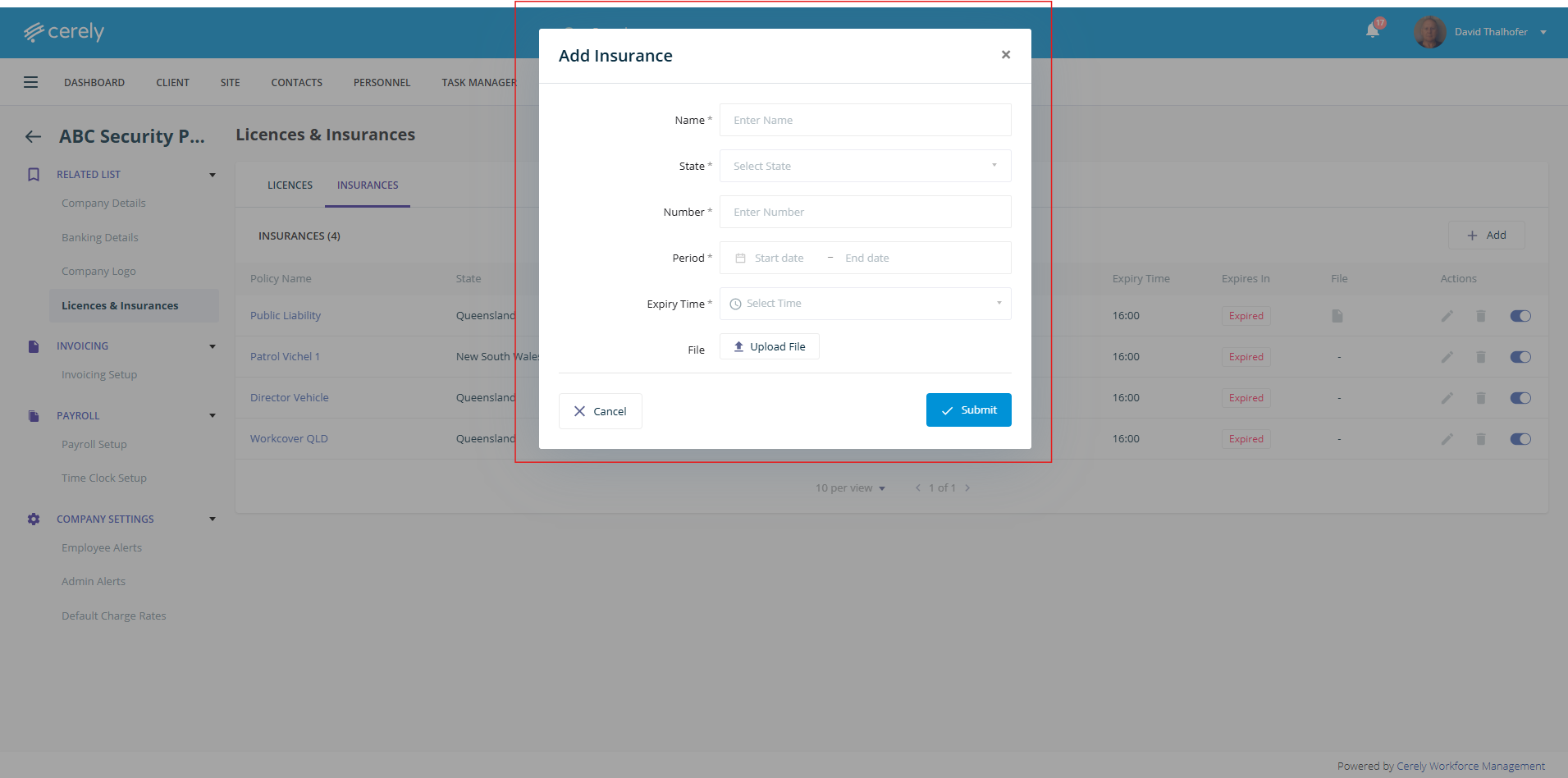
8. Click on the submit to save the insurance details in the system